Product page optimization: how to A/B test your App Store page
What Apple’s built-in A/B test can and can’t test, the rules it runs by, and how to set up a test that gives an answer.
Published · 3 min read
Product page optimization is Apple’s built-in A/B test for the App Store. It shows alternative versions of your product page, called treatments, to a random share of the people who visit it, and reports how each one converts against your original page.
What you can test
- The app icon. Every icon variant has to be included in the binary of your published app, so an icon test is planned one release ahead.
- Screenshots.
- App preview videos.
You can’t test the app name, subtitle, keyword field or description. Those change only with a new version; see how to check a name and subtitle before you submit. A test without alternate icons can be submitted for review without a new app version.
The rules of a test
| What | Rule |
|---|---|
| Treatments | Up to three, against your original page |
| Tests at a time | One |
| Length | 90 days, or until you stop it |
| Traffic | You choose the share of visitors who see a treatment; it is split evenly between treatments |
| Consistency | A person sees the same treatment for the whole test |
| Languages | All the languages your app supports, or only the ones you choose |
| Review | New screenshots, previews and icons in a treatment go through App Review |
| Changes | A test can’t be changed once it has started |
Apple’s own example of the split: send 40% of traffic to a test with two treatments and each treatment is shown to 20% of visitors, while 60% keep seeing the original. These rules come from Apple’s product page optimization page, checked in November 2026.
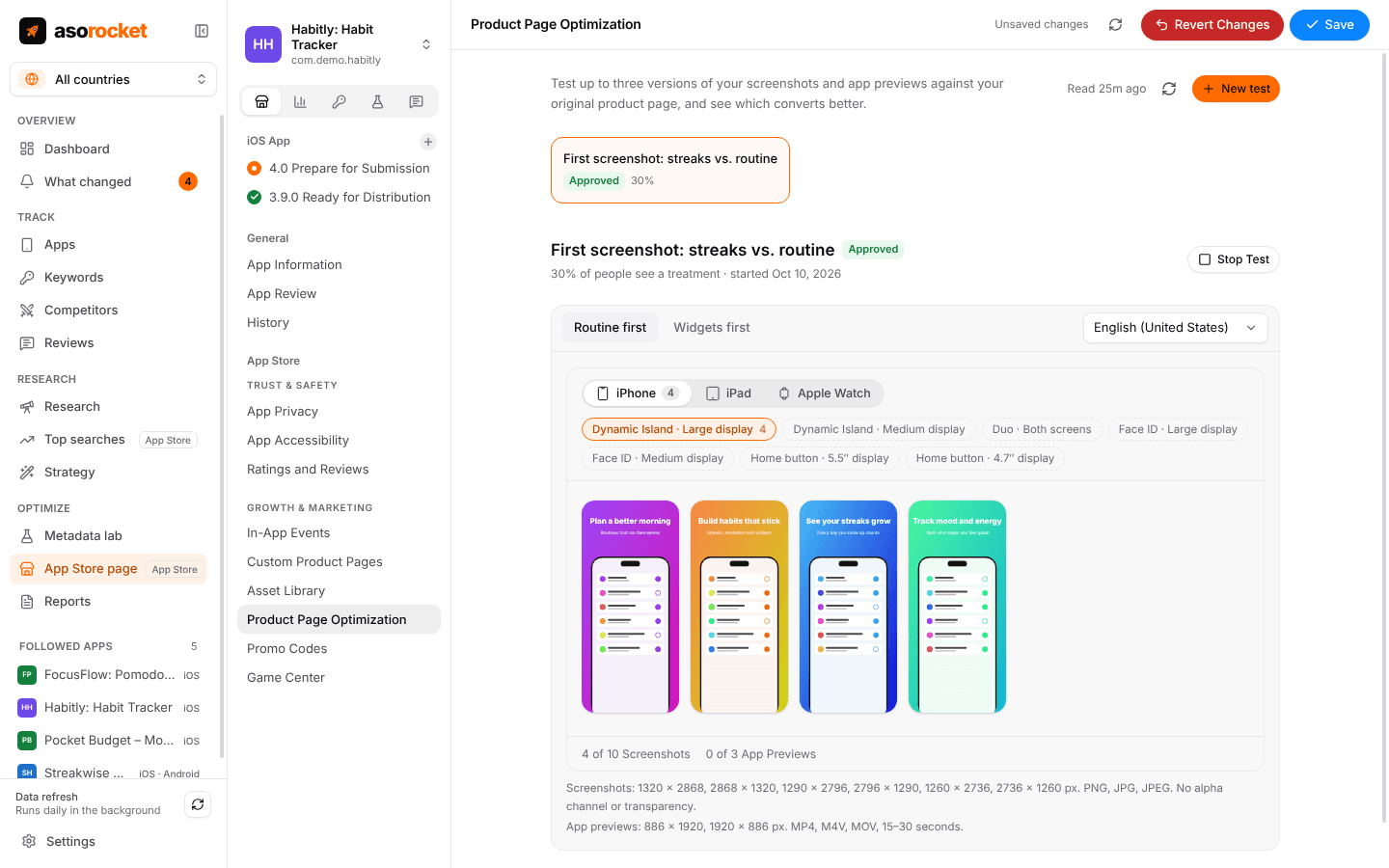
A product page test: one treatment that changes the first screenshot.
Set up a test that can give an answer
- Test one idea. A new first screenshot, or a new icon, not both in one treatment, or you won’t know which one moved the number.
- Change what people see first. The first screenshots appear in search results, where most people decide, so a test of the first one or two usually tells you more than a test of the seventh.
- Make the difference big. A different message or layout can show a result; a slightly different shade of the same screenshot rarely does within 90 days.
- Give it enough traffic. The smaller the share that sees a treatment, the longer it takes to reach a result. With three treatments the traffic is split three ways, so a small app is better off with one treatment.
- Choose languages on purpose. Limit a test to the languages where the treatment is actually localized and where you have the traffic to measure it.
- Leave it alone. Don’t release new screenshots or a new icon while they are being tested: you would be changing the thing you are measuring.
Reading the result
App Store Connect shows each treatment’s impressions and conversion rate, its improvement over the original as a percentage, and a confidence level. Apple marks a treatment as performing better or worse than the baseline once it reaches at least 90% confidence.
- Wait for the confidence. An improvement shown after a few days of a small app’s traffic is noise, in either direction.
- Run whole weeks. Weekdays and weekends bring different visitors.
- If nothing reaches confidence in 90 days, the difference is too small to matter. Keep the original and test a bolder idea.
- A treatment that wins in one language can lose in another, so read the result per language before applying it everywhere.
Applying a winner
Applying a treatment makes it your product page for everyone and ends the test. Mark the date, then watch your conversion rate for the following weeks: the lift you measured on part of your traffic should now show on all of it. Icon and screenshot changes can also change how many people tap your result in search, so watch downloads next to your keyword rankings as well.
Tests and custom product pages
A test looks for a better default page for everyone. A custom product page is an extra page for one audience, reached by its own link, an ad or an assigned keyword, and it runs for as long as you keep it. Use a test to find what converts in general, then custom pages for the audiences that differ.
asorocket sets up product page tests from your desktop: the treatments with their own screenshots and previews, the share of people who see them, and submitting, starting and stopping the test. It doesn’t read the results; Apple shows those in App Store Connect.
Related questions
How long does a product page optimization test run?
Up to 90 days, or until you stop it. Let it run until App Store Connect shows a treatment performing better or worse than the original with at least 90% confidence.
Can I A/B test my app name or subtitle?
No. Product page optimization tests the icon, screenshots and app previews. The name, subtitle, keyword field and description change only with a new app version.
Can I run more than one test at a time?
No. You can run one test at a time, with up to three treatments against your original page.
Does a product page test need a new app version?
Only when it tests an alternate icon, because every icon variant must be included in the binary of your published app. A test of screenshots or previews can be submitted for review on its own.