Client reports
A report per app, ready for your client
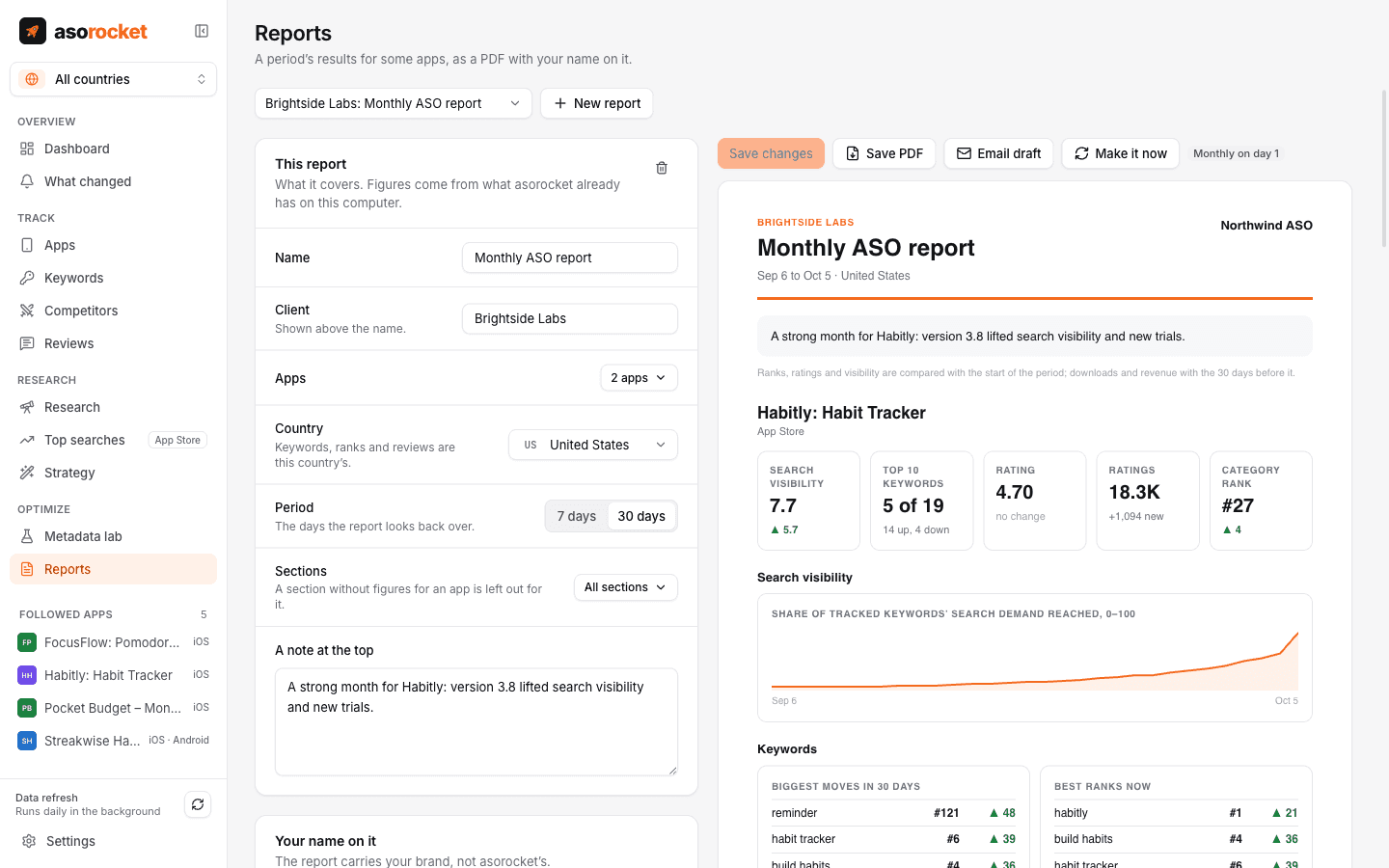
Pick a client’s apps, a period and a schedule, and asorocket makes the report your client reads: search visibility, keyword moves, ratings and reviews, what changed and the impact of each change. It is a PDF with your name, logo and colour on it, saved where you choose.
What you get
Everything that moved
Search visibility, the keywords that moved most, the top keywords, ratings and new reviews over the period, against the period before.
What changed around it
The listing changes and releases of the period, with the before and after from Impact.
Your client’s own numbers
Downloads, conversion and revenue from App Store Connect, Google Play Console and the revenue tool you connect, in the reports you add them to.
On a schedule
Weekly or monthly, made by itself after the daily refresh, or on demand for the last 7 or 30 days.
Your brand, not ours
Your name, logo and accent colour on every page. The small asorocket line in the footer can be turned off.
Saved where your client finds it
Each report is saved as a PDF in a folder you choose; a shared Dropbox or Drive folder puts it in front of your client. Email draft opens a message to attach it to, and a summary can go to your Slack, Teams or Discord channels.
What you need: asorocket Studio (or the trial).
Good to know
Made on your computer
Reports are made by the app and go only where you send them. Nothing passes through a server of ours.
No customer records
Reports carry totals, never individual customers: RevenueCat customers are still read live and never stored or exported.
Related guides
Measurement · 2 min read
How to track App Store keyword rankings
Why searching on your own iPhone misleads you, and how to track ranks daily, per country, against competitors.
Measurement · 2 min read
App Store conversion rate: what it is and how to improve it
How conversion rate is measured in App Store Connect, what moves it, and how to tell if a change helped.
More features
All featuresKeyword rank tracking
Daily positions for every keyword in the App Store’s top 200 and Google Play’s top 30, with changes and history.
Learn moreKeyword research
Score a term, see who ranks, and check up to 1,000 keywords in one background run.
Learn moreMetadata lab
A live ASO score as you type, an automatic keyword field, and a pressure test before you ship.
Learn morePublish to App Store Connect
Push a checked draft into the version you’re preparing, after a careful review screen.
Learn moreStart with your own app, today
Download asorocket, pick your markets and find your app. You will be tracking your first keywords in about two minutes.
macOS · Windows · Linux