Keyword research
Find keywords worth ranking for, then check a thousand at once
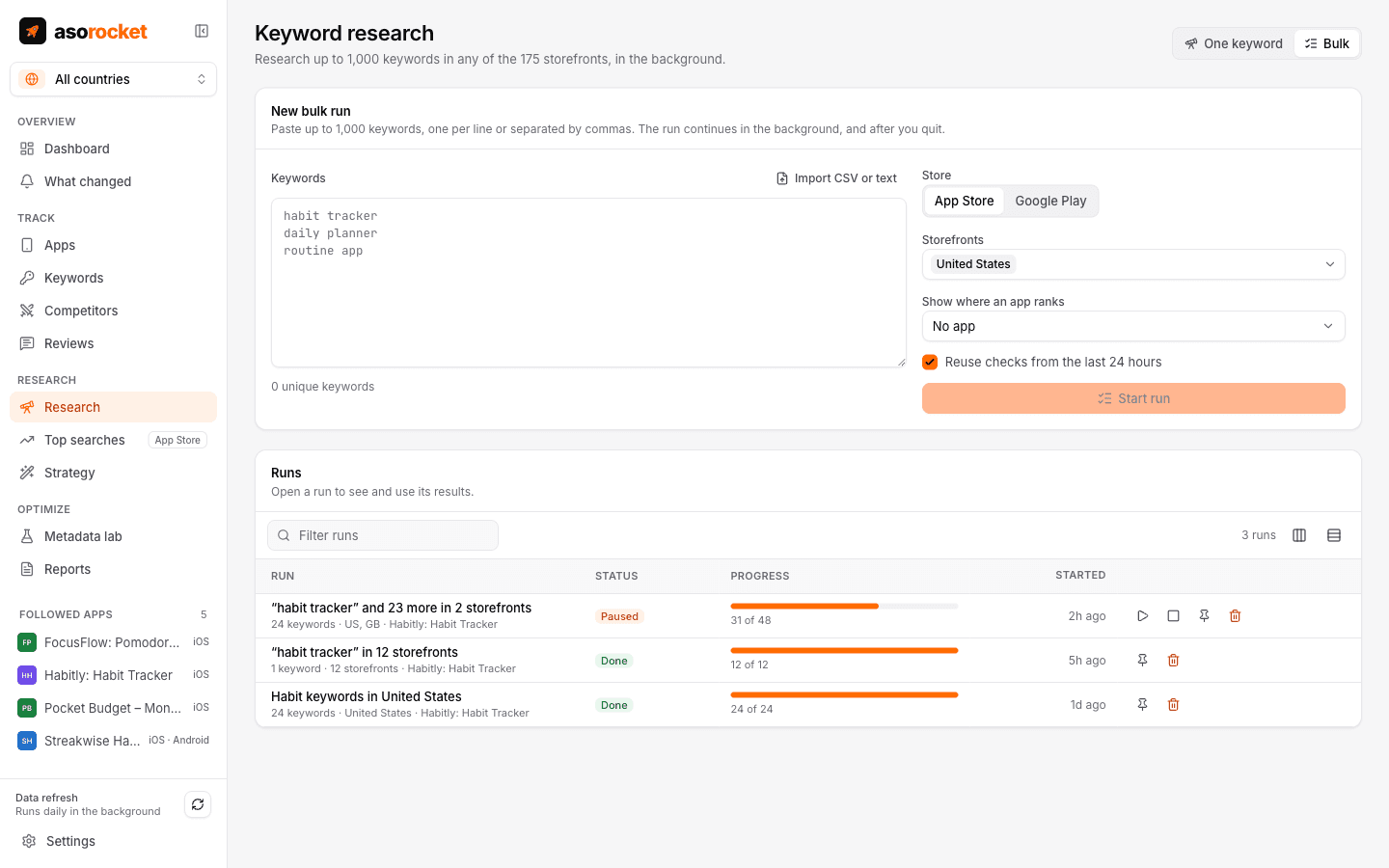
Score any search term on the App Store or Google Play, see who ranks for it and what the store suggests next. When you have a long list, a bulk run checks up to 1,000 keywords across storefronts in the background and shows where your app already ranks.
What you get
One keyword, fully explained
Popularity, difficulty, the number of results, today’s top 10 apps and Apple’s autocomplete suggestions for the term.
Either store
A switch sets the store for a term or a bulk run. For Google Play you get the top apps with their installs and Google Play’s own suggestions, and ranks within its 30 results.
Bulk runs of up to 1,000 keywords
Paste or import a list, pick storefronts (up to 5,000 checks per run) and let it run. Runs pause, resume and survive restarts.
Keeps going after you quit
Quit mid-run and asorocket keeps researching from the menu bar or system tray, then quits by itself when the run is done.
Compare storefronts
Check one keyword across many countries to see where it is popular and where the competition is thin.
Ideas from competitors
Mine competitors’ names and the keywords they rank for to find terms you haven’t considered.
From results to tracking
Select the keywords you like and track them for your app in one click, or export the run to CSV.
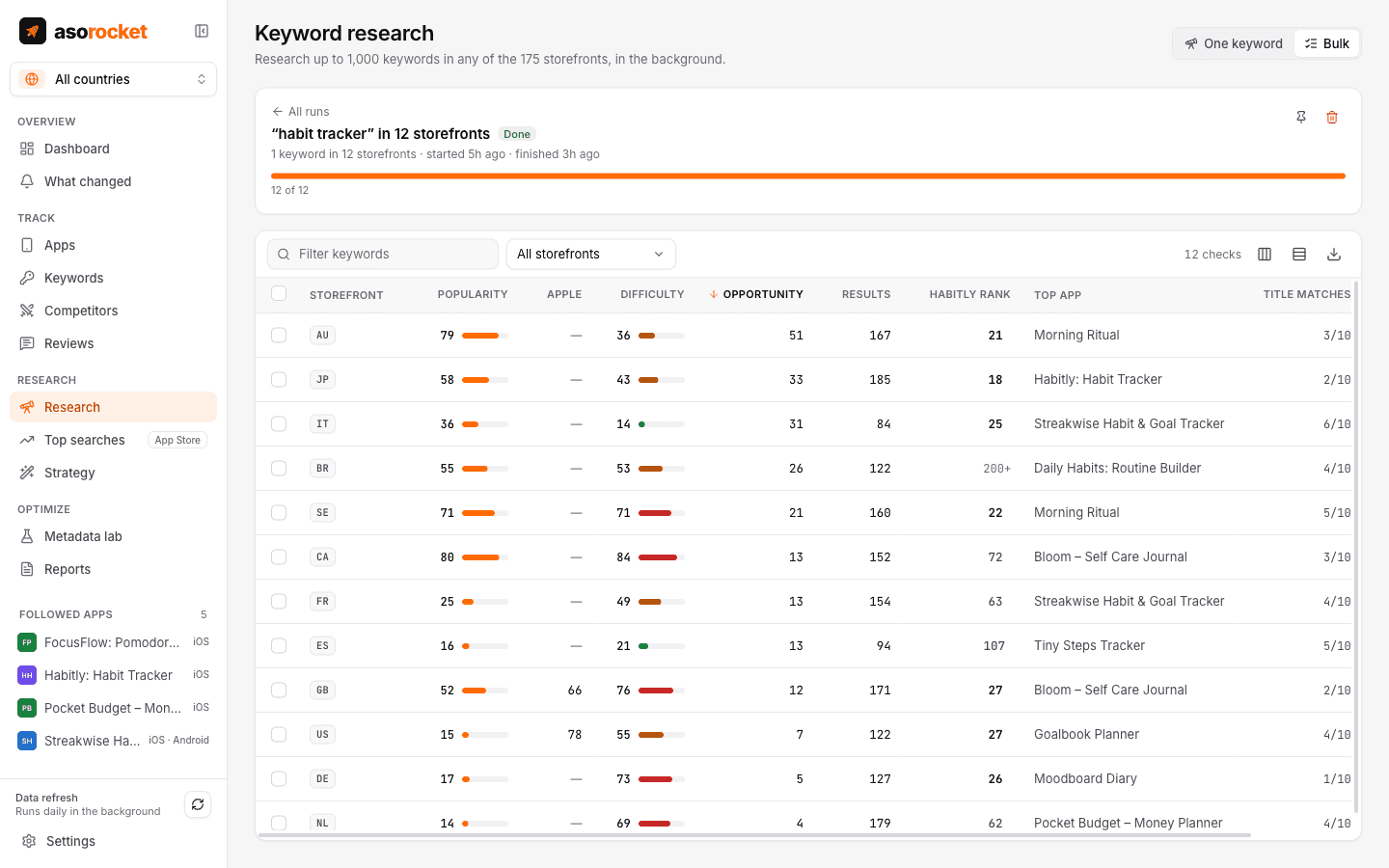
A finished run: popularity, difficulty, results and your rank per keyword and storefront.
Good to know
Estimates, labelled as estimates
Neither Apple nor Google publishes search volume. Popularity blends autocomplete signals with the size of the top results; difficulty looks at how established the top 10 apps are and whether they target the term in their names. On Google Play, where search results carry installs instead of rating counts, both use installs. Use them to compare terms.
Paced for each store’s limits
At the default 18 requests a minute, 1,000 App Store checks take about an hour; Google Play is asked 20 times a minute. Runs use the lowest priority, so the daily refresh and anything you do on screen go first.
Related guides
Keywords · 2 min read
How to do App Store keyword research
Collect ideas, score them for popularity and difficulty, and pick the keywords your app can actually win.
Keywords · 2 min read
How to check App Store search popularity
Apple has no public search volume. Here is what you can use instead, and how reliable each source is.
Metadata · 2 min read
How to use the App Store keyword field
Formatting, word choice and the common mistakes that waste the 100 hidden characters Apple gives you.
More features
All featuresKeyword rank tracking
Daily positions for every keyword in the App Store’s top 200 and Google Play’s top 30, with changes and history.
Learn moreMetadata lab
A live ASO score as you type, an automatic keyword field, and a pressure test before you ship.
Learn morePublish to App Store Connect
Push a checked draft into the version you’re preparing, after a careful review screen.
Learn moreLocalization planner
Find the empty keyword fields in the extra languages each storefront indexes, and fill them.
Learn moreStart with your own app, today
Download asorocket, pick your markets and find your app. You will be tracking your first keywords in about two minutes.
macOS · Windows · Linux