Google Play
Google Play apps, tracked next to your App Store apps
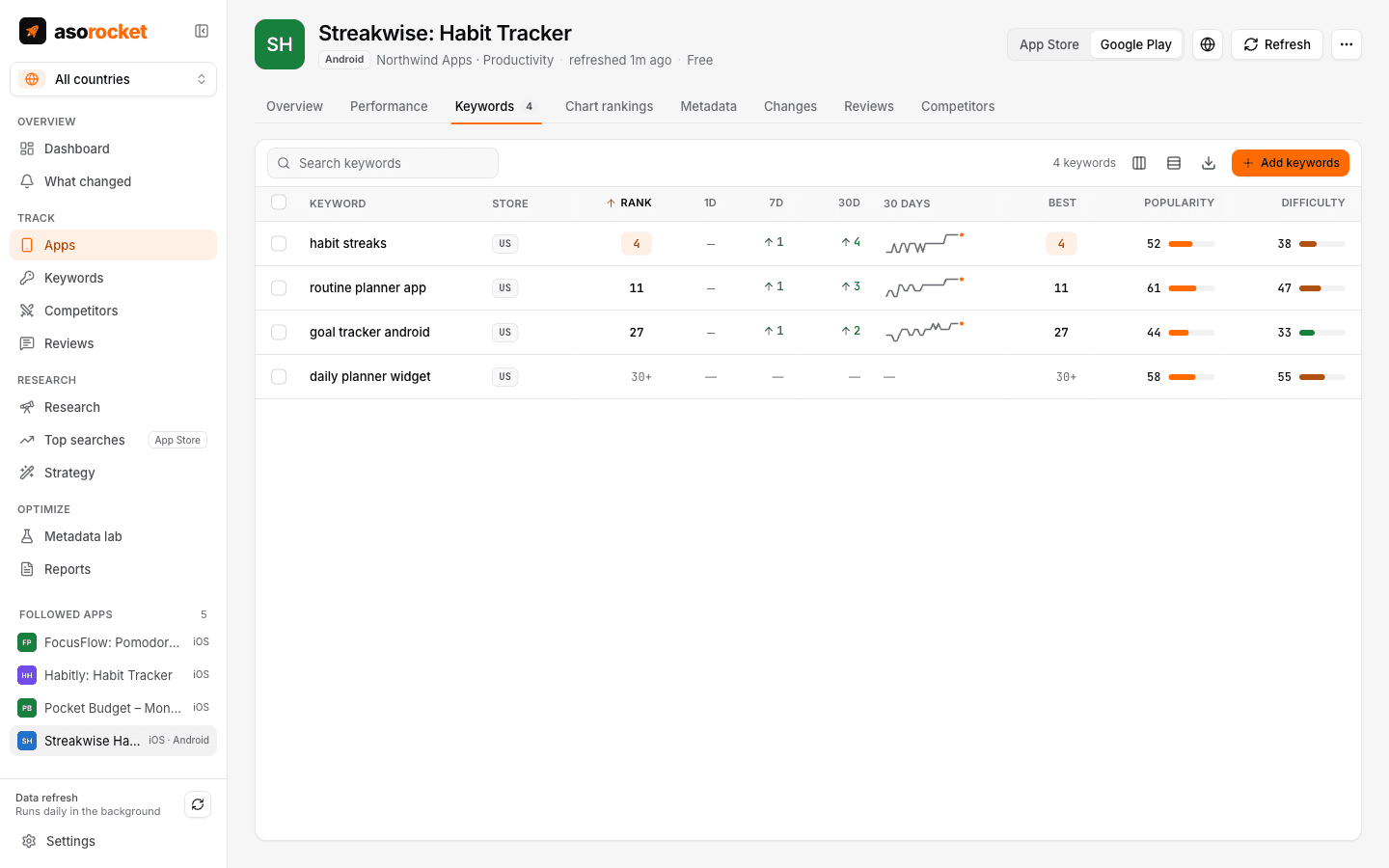
Follow any Google Play app by link, name or package name. asorocket records its rating, installs, top chart positions and keyword ranks every day, reads its reviews with the developer’s replies, and researches keywords in Google Play’s own search.
What you get
Follow by link, name or package
Paste a Google Play link or a package name such as com.example.app, or search by name. A switch in the follow dialog sets the store a name is looked up in.
Keyword ranks in the top 30
Google Play returns 30 results for a search. Positions are read daily to 30, with the same changes, best rank and history as on the App Store.
Top charts
Top free, top paid and top grossing, overall and in the app’s category, to position 200, every day.
Ratings and installs
Rating, number of ratings, public installs, version and price, saved daily with history. For your own apps, Play Console’s statistics add installs, visitors and conversion.
Reviews with replies
Recent reviews in the language Google Play shows them in, each with the developer’s reply.
Keyword research
Score a term for Google Play, see the top apps with their installs and Google Play’s suggestions, and run bulk research there.
Listing drafts
The Metadata lab scores and checks a title, short description and description, and Google Play Console publishes them.
The store, always visible
Every app list and app picker shows whether an app is on the App Store or Google Play, and the sidebar marks the screens that are for App Store apps.
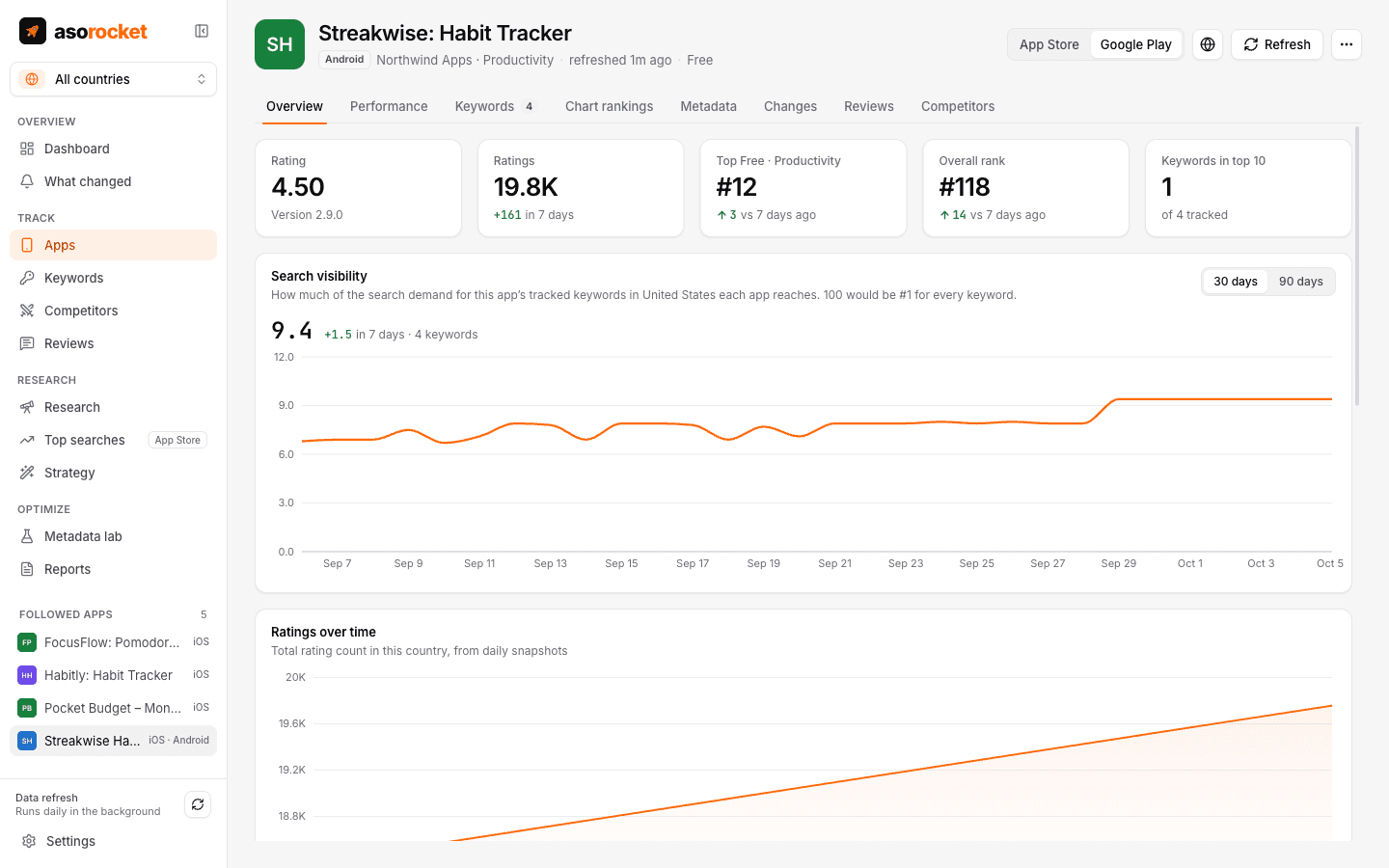
A Google Play app’s overview. The switch at the top moves to its App Store version.
Good to know
Where the data comes from
Google publishes no API for store data. asorocket reads the data endpoint Google Play’s own website uses, at 20 requests a minute and without cookies. No web pages are parsed. It is unofficial, as Apple’s endpoints are, and Google can change it; asorocket then reports the data as unreadable instead of saving something wrong.
What stays App Store only
Apple’s top search terms, Apple Ads, the localization planner and Fill keyword field cover App Store apps. Installs and conversion for your own Google Play apps come from Play Console’s statistics.
Limits worth knowing
A rank below 30 can’t be seen. Google Play is read in one language per country, the first its store shows there, and countries where Google Play isn’t available aren’t marked: following an app there finds nothing.
Your plan
Google Play apps and keywords count toward the same plan limits as App Store ones.
Related guides
Google Play · 3 min read
Google Play ASO vs App Store ASO: what’s different
The same goals, different fields. What Google Play indexes, what the App Store indexes, and how to work on both without copying one listing into the other.
Google Play · 2 min read
Google Play title, short description and description: limits and how to write them
Three fields, all of them read for search. Their limits, what Google’s policy forbids, and where your keywords belong.
Measurement · 2 min read
How to track App Store keyword rankings
Why searching on your own iPhone misleads you, and how to track ranks daily, per country, against competitors.
More features
All featuresKeyword rank tracking
Daily positions for every keyword in the App Store’s top 200 and Google Play’s top 30, with changes and history.
Learn moreKeyword research
Score a term, see who ranks, and check up to 1,000 keywords in one background run.
Learn moreMetadata lab
A live ASO score as you type, an automatic keyword field, and a pressure test before you ship.
Learn morePublish to App Store Connect
Push a checked draft into the version you’re preparing, after a careful review screen.
Learn moreStart with your own app, today
Download asorocket, pick your markets and find your app. You will be tracking your first keywords in about two minutes.
macOS · Windows · Linux