Custom product pages and product page tests for the App Store
Custom product pages are extra versions of your App Store page, each with its own screenshots, promotional text and deep link, for an ad, a campaign or an audience. asorocket creates and edits them, and sets up product page optimization tests that show other screenshots to part of your visitors.
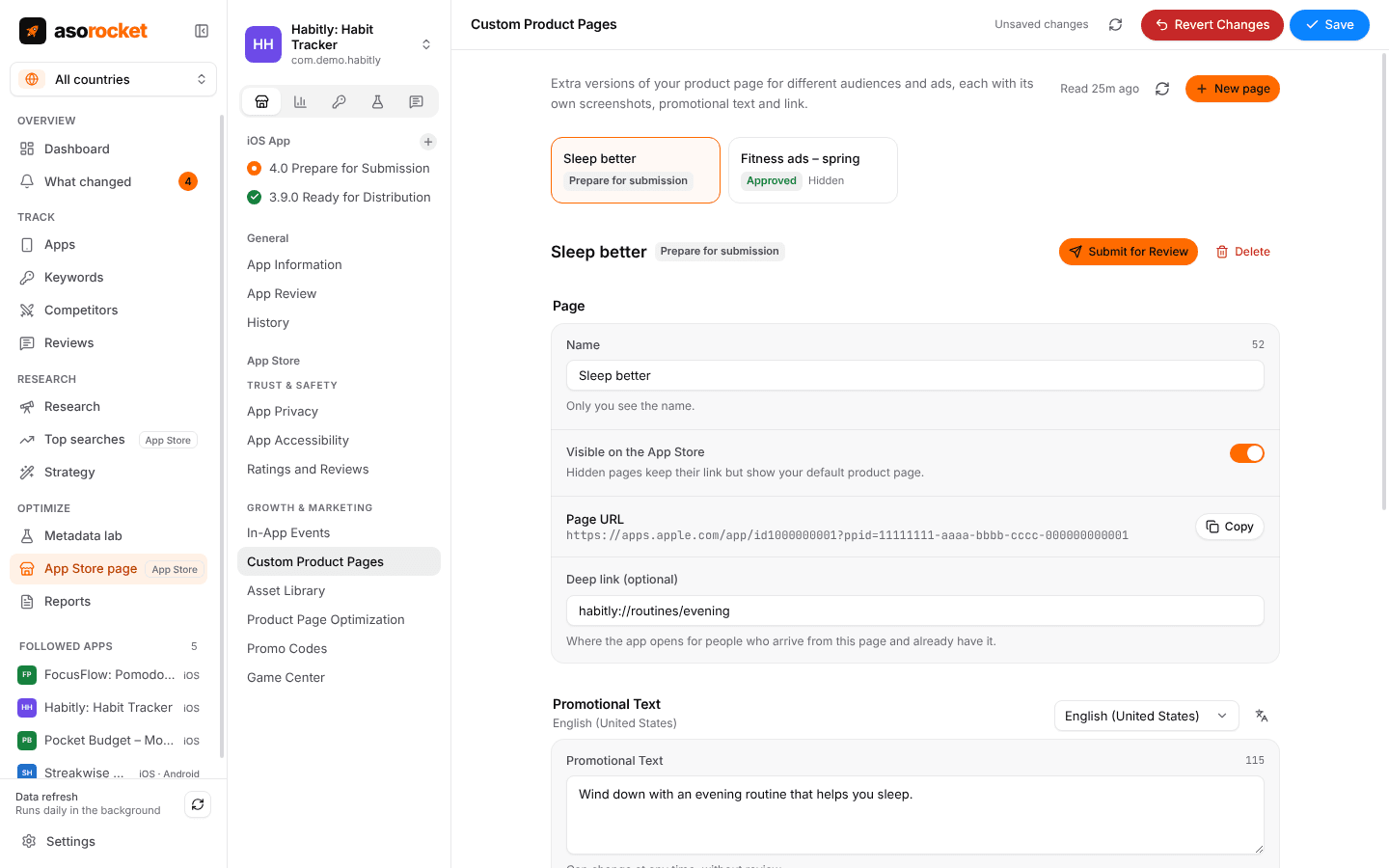
What you get
A page for each campaign
Up to 70 custom product pages, each with a name only you see, its own screenshots, previews and promotional text per language.
The link to use in ads
Copy each page’s URL for an Apple Ads ad group or a campaign, and set the deep link people land on if they already have the app.
Hide without deleting
A hidden page keeps its link but shows your default product page, so an old ad never leads nowhere.
Product page tests
Test up to three treatments against your original page, each with its own screenshots and previews, and choose the share of people who see one.
Start and stop
Submit a page or a test for review, start a test once it’s approved, and stop it from the same screen.
One upload, many places
Screenshots come from the same asset library as your product page, so a file is uploaded once and placed on as many pages and treatments as you like.
What you need: An App Store Connect API key with the Admin or App Manager role.
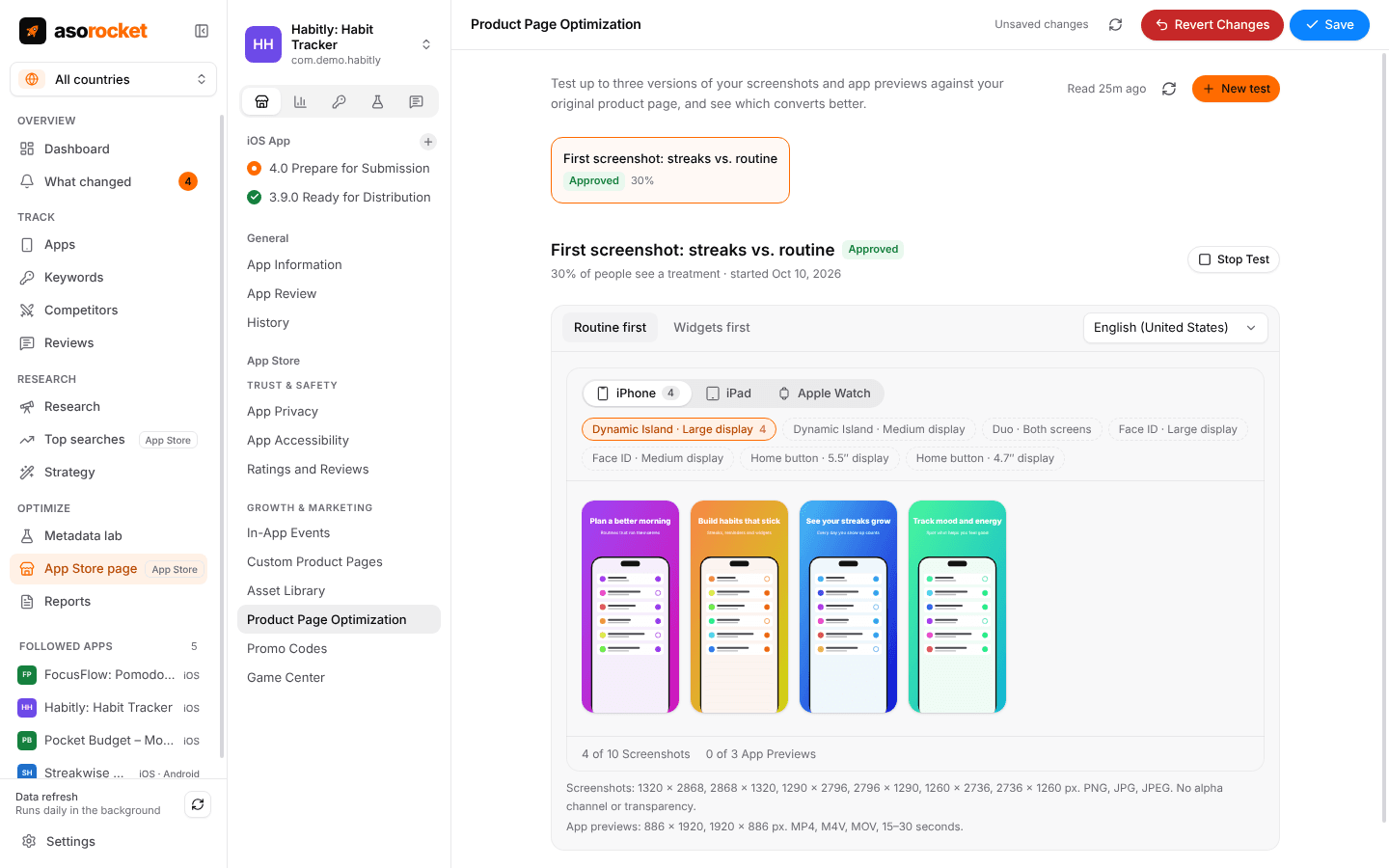
A product page test: each treatment has its own screenshots per device and language.
Good to know
Results are in App Store Connect
asorocket sets tests up and runs them, but doesn’t read their results: Apple shows how each treatment converts in App Store Connect.
Related guides
Measurement · 4 min read
App Store conversion rate: what it is and how to improve it
How conversion rate is measured in App Store Connect, what moves it, and how to tell if a change helped.
Metadata · 3 min read
ASO checklist: what to check before you submit an App Store update
Twenty quick checks for your name, subtitle, keyword field and screenshots before you press Submit.
More features
All featuresApp Store page editor
Screenshots, previews, texts and versions for App Store Connect, with a live preview and one Save.
Learn moreIn-app events
Event cards for the App Store, scheduled, localized and submitted for review.
Learn moreApple Ads next to organic
Spend, taps and installs per keyword next to your organic rank, both ways round.
Learn moreKeyword rank tracking
Daily positions for every keyword in the App Store’s top 200 and Google Play’s top 30, with changes and history.
Learn moreStart with your own app, today
Download asorocket, pick your markets and find your app. You will be tracking your first keywords in about two minutes.
macOS · Windows · Linux