App Store review replies with AI drafts, from your desktop
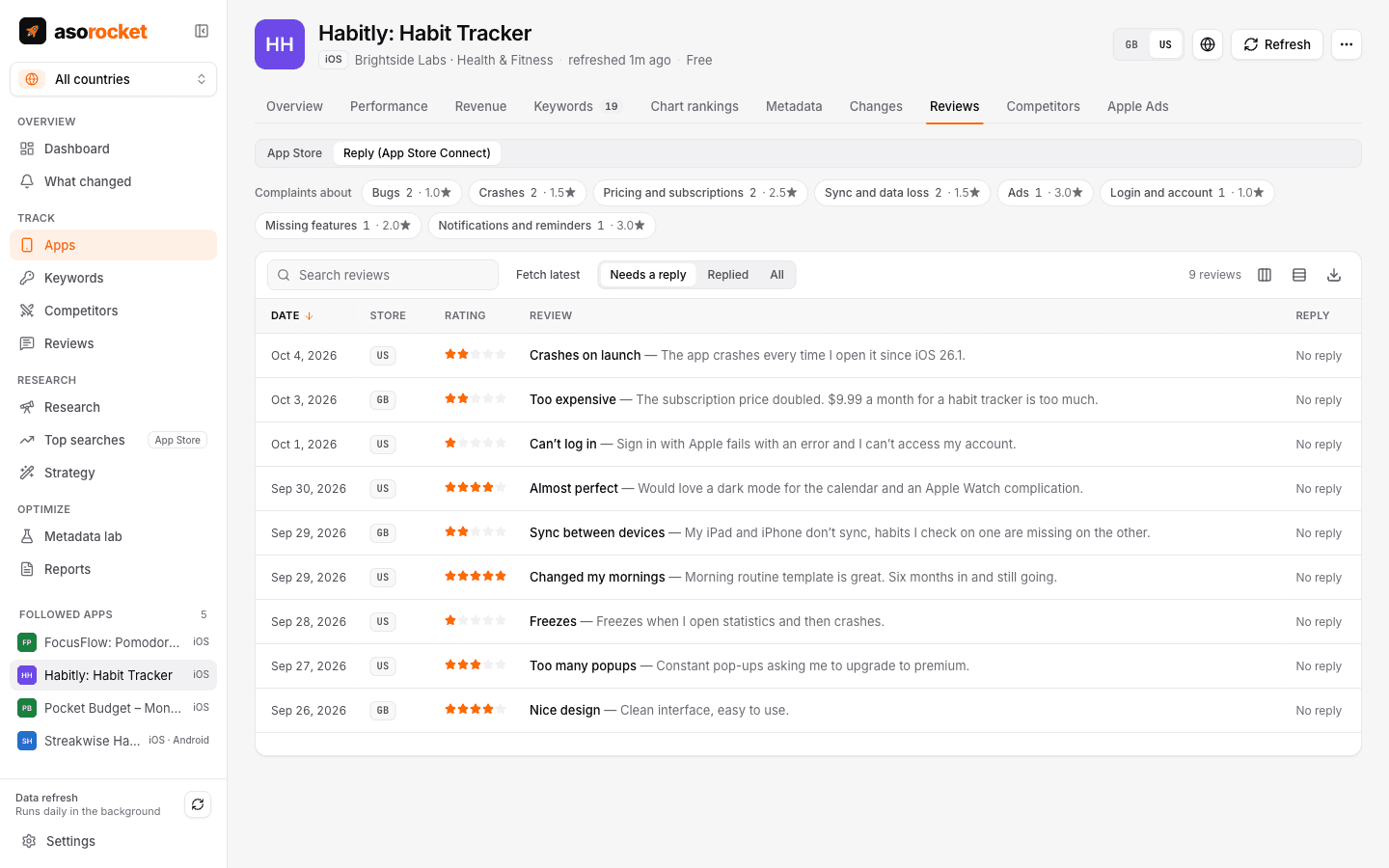
Review replies brings your App Store Connect reviews from every storefront to your desktop, lists the ones waiting for a reply first and groups complaints by topic. Draft a reply with AI, edit it, and send it through App Store Connect.
What you get
Waiting for a reply, first
Reviews from every storefront, newest first, filtered to those needing a reply, those replied to, or all.
Complaints by topic
Crashes, sync and data loss, login, pricing and subscriptions, ads, bugs, speed and battery, notifications, design and missing features, counted from 1–3★ reviews with their average rating.
AI drafts you control
Short, polite replies in the reviewer’s language, using your notes (“fixed in 4.2”) as facts. Review text is treated as data, never as instructions, and nothing is sent automatically.
Send, update or delete
Replies go through App Store Connect and appear on the App Store once Apple has checked them.
Up to date with every sync
Reviews and replies are read with each App Store Connect sync: the latest 600 the first time, then the newest page.
Competitors’ complaints too
The public Reviews view groups any app’s low-star reviews by topic, so you can see what your competitors’ users complain about.
What you need: An App Store Connect API key with the Admin role (Apple doesn’t give API keys the Customer Support role). AI drafts need an AI provider or a local model.
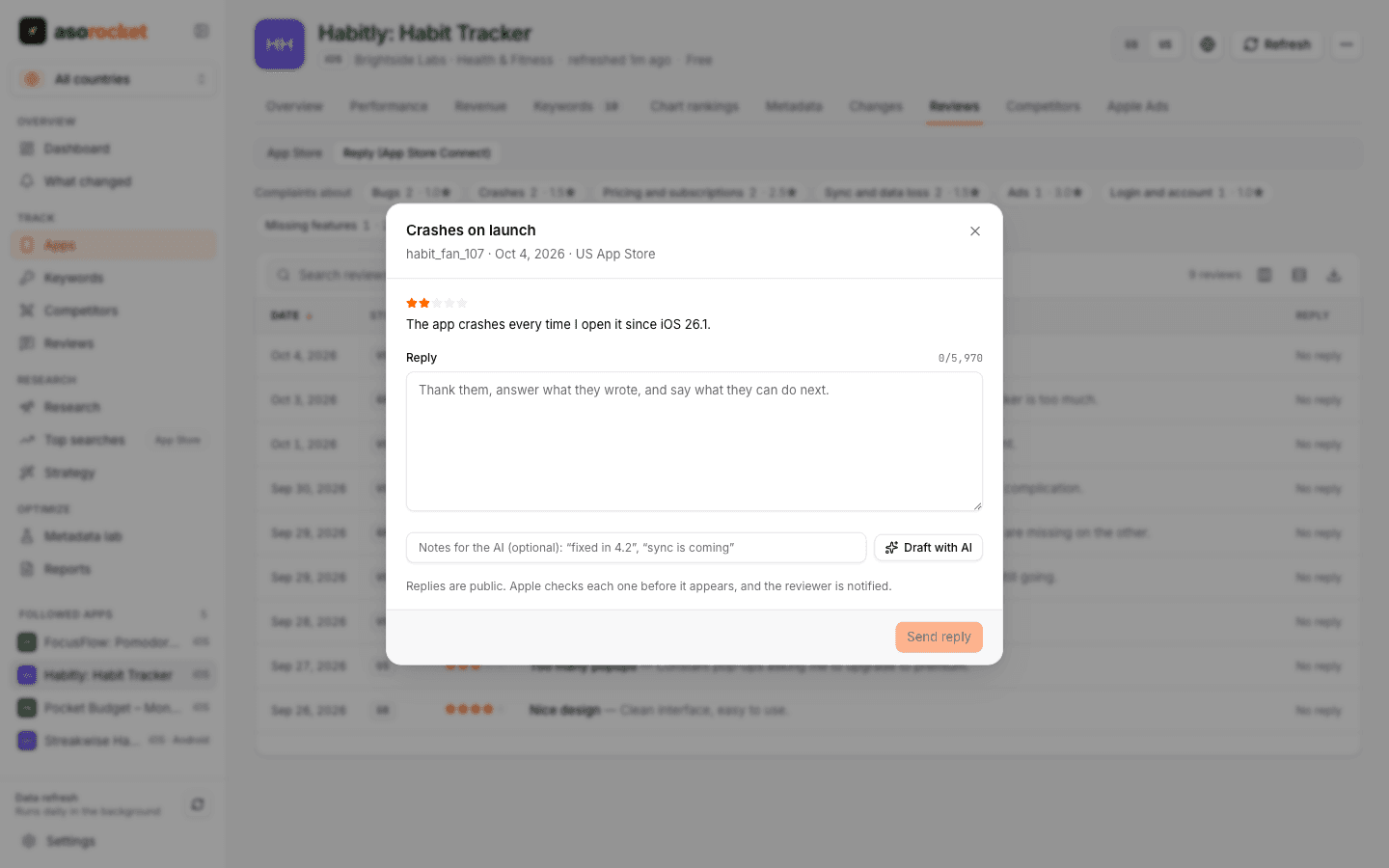
Draft with AI, then edit. Nothing is sent until you press Send reply.
Good to know
On Google Play
With Google Play Console connected you can answer your Google Play app’s recent reviews too: those from about the last week, in up to 350 characters, without AI drafts or topics.
Questions about Review replies
Can I reply to App Store reviews?
Yes, for apps in your account. Reviews waiting for a reply come first, grouped by complaint topic, and AI can draft a reply for you to edit. Nothing is sent until you press Send. Apple only lets keys with the Admin role reply. See App Store review replies with AI drafts.
Can I reply to Google Play reviews?
Yes, with Google Play Console connected. Google’s API offers the reviews written or changed in about the last week, and a reply can be up to 350 characters. Replies are written by hand: AI drafts and complaint topics are for App Store replies.
Related guides
Measurement · 4 min read
How to analyze competitors on the App Store
Find the apps you really compete with, then compare keywords, metadata, ratings and reviews to find gaps.
Measurement · 5 min read
App Store conversion rate: what it is and how to improve it
How conversion rate is measured in App Store Connect, what moves it, and how to tell if a change helped.
More features
All featuresPublish to Google Play
Publish a draft’s texts to your Google Play listing and reply to recent reviews.
Learn moreApp Store Connect analytics
Impressions, page views, downloads and conversion for your apps, from Apple’s own reports.
Learn moreWhat changed and impact
Daily alerts, competitors’ listing changes, a visibility score, and the impact of each release.
Learn moreASO MCP server
29 ASO tools and 5 workflow prompts for Claude, Cursor, VS Code and Windsurf.
Learn moreStart with your own app, today
Download asorocket, pick your markets and find your app. You will be tracking your first keywords in about two minutes.
macOS · Windows · Linux