MCP
Your ASO data, available to the assistant you already use
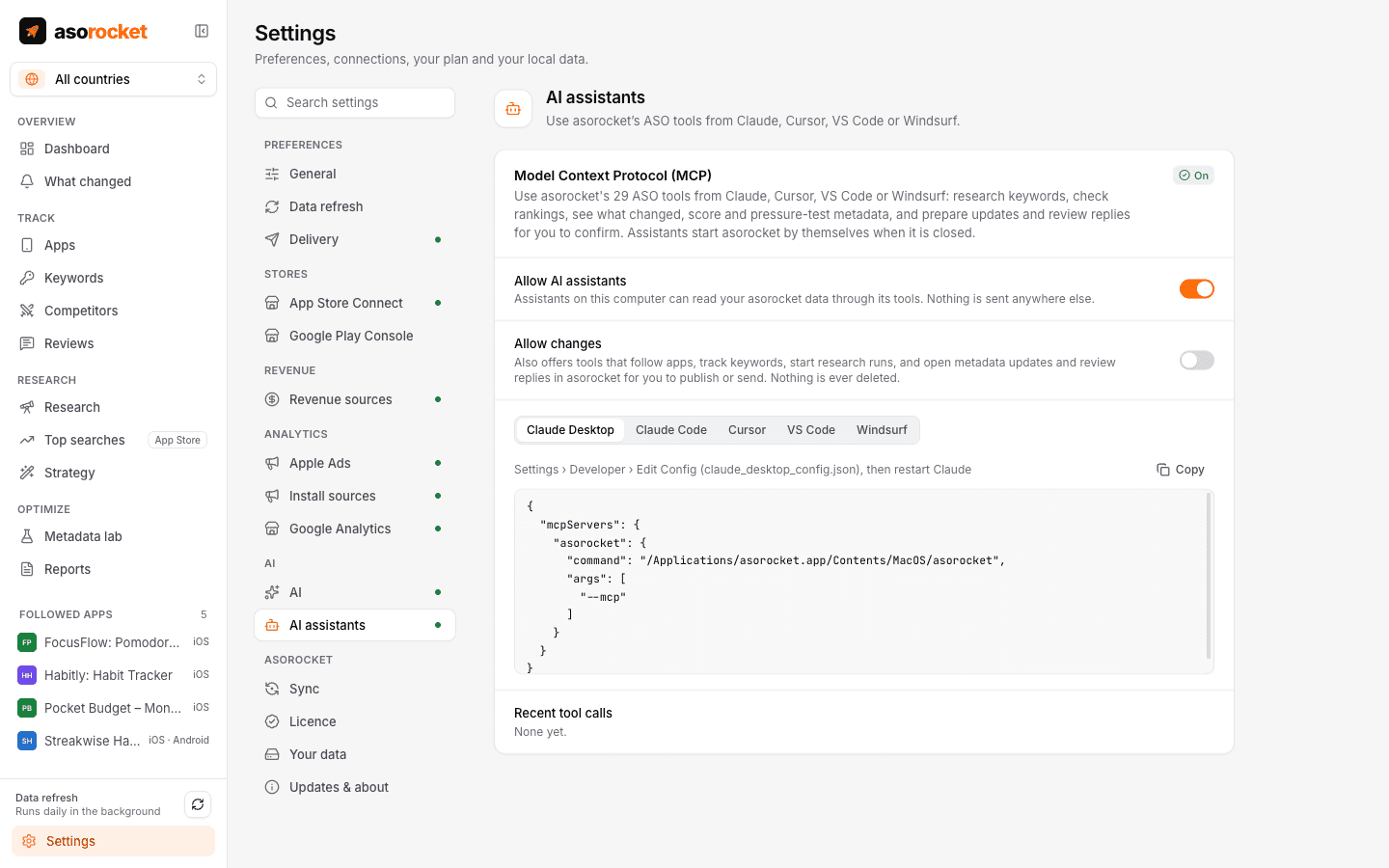
asorocket includes a Model Context Protocol server with 29 tools, 5 workflow prompts and attachable resources. Turn it on and Claude, Cursor, VS Code or Windsurf can research keywords, read your rankings and what changed, check metadata drafts, and prepare a publish or a review reply for you to confirm.
What you get
Copy, paste, done
Settings › AI assistants shows the exact configuration for Claude Desktop, Claude Code, Cursor (with an Add to Cursor button), VS Code and Windsurf.
The full toolbox
Apps and keywords, bulk research, rankings and competitor gaps, what changed and its impact, search visibility, metadata scoring and checks, the localization plan, Apple’s top searches, Apple Ads next to organic, reviews, App Store Connect figures and saved reports.
Prepares, never sends
Ask for a new subtitle or a reply to a review: the assistant checks it, then opens the publish review or the reply in asorocket with everything filled in. You read it and press Publish or Send.
Workflow prompts
Five slash commands walk the assistant through a weekly ASO review, a metadata update, answering reviews, a competitor watch and an Apple Ads audit.
Read-only by default
Tools that change anything, like tracking keywords, starting a run or preparing a publish, are offered only when you allow changes. No tool deletes anything.
The assistant writes, asorocket checks
Ask for title ideas, then have the assistant score and pressure-test its own suggestions against your keywords before you see them.
Starts when needed
If asorocket is closed, the first request starts it in the background, without a window; it quits after 15 idle minutes.
Stays on your computer
The assistant talks to the app over a local socket protected by a token only your user account can read.
What you need: asorocket Pro or Studio (or the trial), and an MCP client such as Claude Desktop, Claude Code, Cursor, VS Code or Windsurf.
Good to know
Resources to attach
Your followed apps, what changed, an app’s listing or keywords in a storefront, and saved reports can be attached as context in clients that support MCP resources, without a tool call.
Both stores
Searching apps, researching a term and starting a run take a store, and the tracking, ranking, review and draft-checking tools work on Google Play apps. Tools for the keyword field, the localization plan, publishing, Apple Ads, App Store Connect figures and seed strategies are for App Store apps, and say so when asked about a Google Play app.
Your plan applies
MCP is part of Pro and Studio, and the trial. Plan limits are enforced inside the app, so they apply to the assistant too.
Related guides
Metadata · 2 min read
ASO checklist: what to check before you submit an App Store update
Twenty quick checks for your name, subtitle, keyword field and screenshots before you press Submit.
Metadata · 2 min read
How to use the App Store keyword field
Formatting, word choice and the common mistakes that waste the 100 hidden characters Apple gives you.
More features
All featuresKeyword rank tracking
Daily positions for every keyword in the App Store’s top 200 and Google Play’s top 30, with changes and history.
Learn moreKeyword research
Score a term, see who ranks, and check up to 1,000 keywords in one background run.
Learn moreMetadata lab
A live ASO score as you type, an automatic keyword field, and a pressure test before you ship.
Learn morePublish to App Store Connect
Push a checked draft into the version you’re preparing, after a careful review screen.
Learn moreStart with your own app, today
Download asorocket, pick your markets and find your app. You will be tracking your first keywords in about two minutes.
macOS · Windows · Linux