How to track Google Play keyword rankings
Google Play shows 30 results and personalises them. How to record ranks the same way every day, read the changes, and tie them to installs.
Published · 4 min read
Your Google Play keyword rank is your app’s position in the list Google Play returns for a search, in a given country. Checking it on your own phone gives you one country, one device and one day; tracking it means recording it every day for every keyword you care about, in every country, so you can see what a listing change or a release did. Google Play adds one twist the App Store doesn’t have: the list stops at 30 results, so a rank is either 1 to 30 or not visible at all.
Why Google Play returns 30 results
A search on Google Play returns 30 results, and the data endpoint Google Play’s own website reads stops there too. That means two things for tracking. First, a rank is only ever 1 to 30: an app below that is shown as not ranked, not as 45 or 120, so you can’t watch an app climb from 150 to 60 the way you can on the App Store, where Apple’s search API returns up to 200 results. Second, the useful signal on Google Play is a keyword entering the top 30 at all, and then moving into the top 10, where most of the installs happen. Start with less competitive terms, where you can see movement, and treat “entered the top 30” as the first milestone for the harder ones.
Country, language and device change the results
- Country. Each country has its own results. A rank in the United States says nothing about Germany, and the app that leads in Brazil may not be available in Japan at all.
- Language. Google Play shows a country’s store in one language at a time, and results for the same word differ by language. asorocket reads each country in the first language its store offers there.
- Device. Google Play leaves out apps that aren’t compatible with the phone you search from, and can order results differently on a tablet. A tracker that asks the store directly, with no account and no particular phone, sees one list per country and language, which is the fairest baseline.
- Your own history. Apps you have installed or searched for before can be shown differently to you. Your phone is the worst place to measure a rank.
The practical rule: record ranks from one consistent source, the same way every day, and compare them with themselves over time rather than with what any one phone shows.
Manual checks vs daily tracking
A manual check is fine for one keyword, once. For ten keywords in three countries it is thirty searches a day with no history, and that is before competitors. A rank tracker queries Google Play for each keyword and country on a schedule, records your position and your competitors’ positions in the same list, and keeps the history, so the day you change your title you can look back at the thirty days before it. Checking once a day is enough: Google Play ranks move continuously, but reacting to a single day’s move is rarely worth it, and a daily series shows trends that hour-by-hour noise hides.
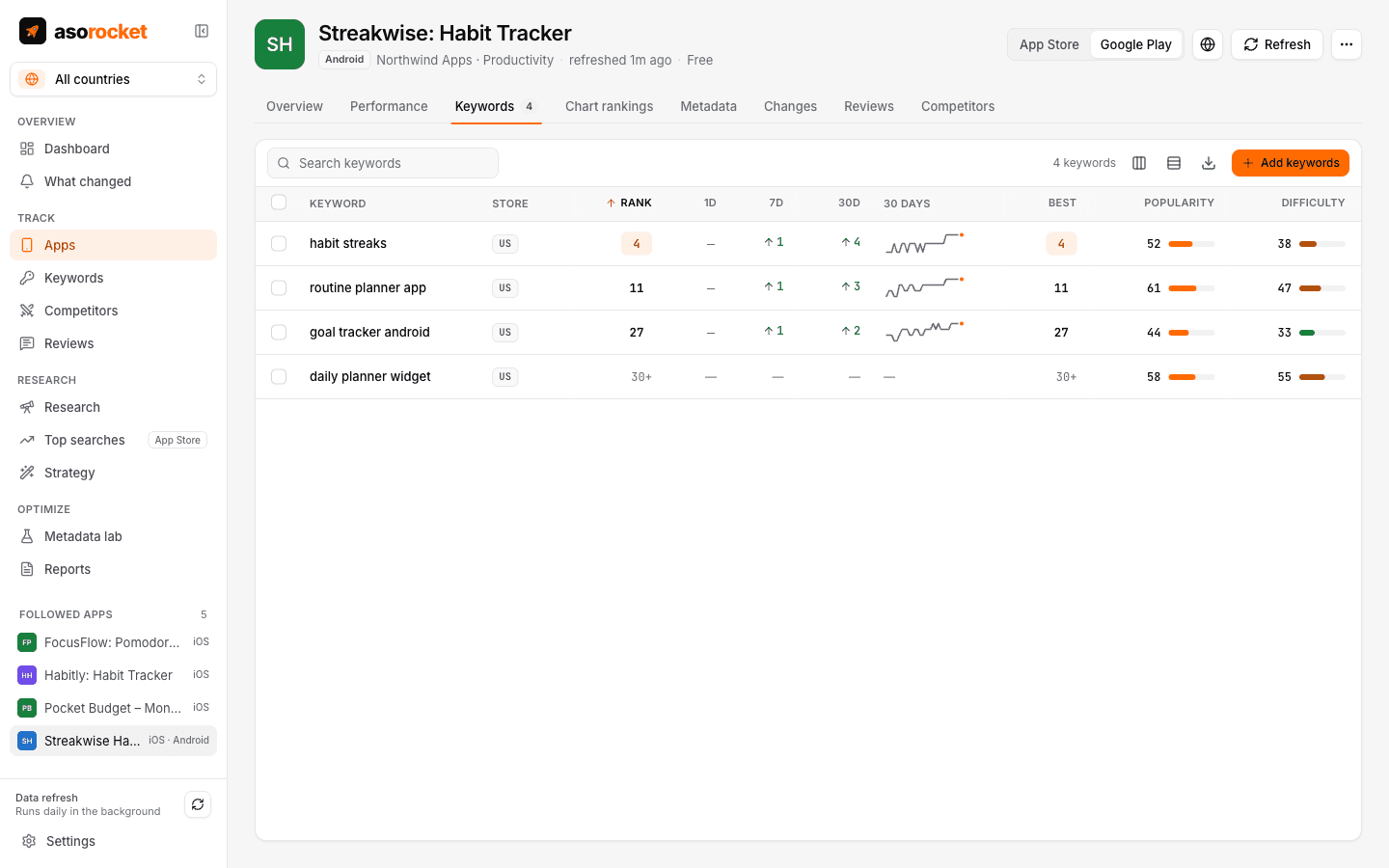
Daily Google Play ranks in asorocket, with changes over 1, 7 and 30 days.
Reading 1, 7 and 30-day movements
| What you see | Likely reason |
|---|---|
| A keyword appears in the top 30 a few days after a listing change | Google reviewed and indexed the new text; the words now match |
| Several keywords drop out of the top 30 together | A listing change dropped words, or a competitor’s update displaced you |
| One keyword moves between 8 and 14 every day | Normal volatility; read the 7 and 30-day change, not the daily one |
| Ranks hold while installs fall | A conversion problem: screenshots, rating or a competitor’s listing, not search |
| Everything rises slowly | More installs and a better rating lifting the app across the board |
Linking ranks to Play Console installs
Ranks are a means; installs are the end. For your own apps, Play Console exports store listing visitors, acquisitions, conversion and installs by day, country and traffic source, and Play search is the source your keyword work moves. Put the two on one timeline: when a keyword enters the top 30 and search visitors rise a few days later, the rank is paying; when ranks rise and visitors don’t, the keyword is less searched than you thought, or you rank for something people didn’t mean. asorocket reads those reports with Google Play Console statistics and shows them on a Performance tab next to the app’s ranks, with each release and listing change marked on both, so the before and after of a change is one screen.
Tracking Google Play ranks with asorocket
Keyword rank tracking checks every tracked keyword for your Google Play apps once a day, per country, records the position within the 30 results and where your followed competitors rank in the same list, and shows 1, 7 and 30-day changes, the best rank reached and a 30-day sparkline. Ranks come from the data endpoint Google Play’s own website reads, asked 20 times a minute, and the history stays on your computer. Follow an app by link, name or package name, add the keywords from your Google Play keyword research, and the first ranks are there after the next refresh.
Related questions
How deep does Google Play rank tracking go?
To position 30. Google Play returns 30 results for a search and nothing below, so a tracker reads ranks 1 to 30 and shows anything lower as not ranked.
Why is my Google Play rank different on my phone?
Google Play personalises results by country, language, device compatibility and your own install history. A tracker asks the store with no account and no particular phone, for a given country, which is the consistent baseline to measure against.
How often should I check Google Play rankings?
Once a day. Ranks move all the time, but daily checks show trends and the effect of a listing change, while single-day moves are mostly noise.