Revenue
See what your rankings earned
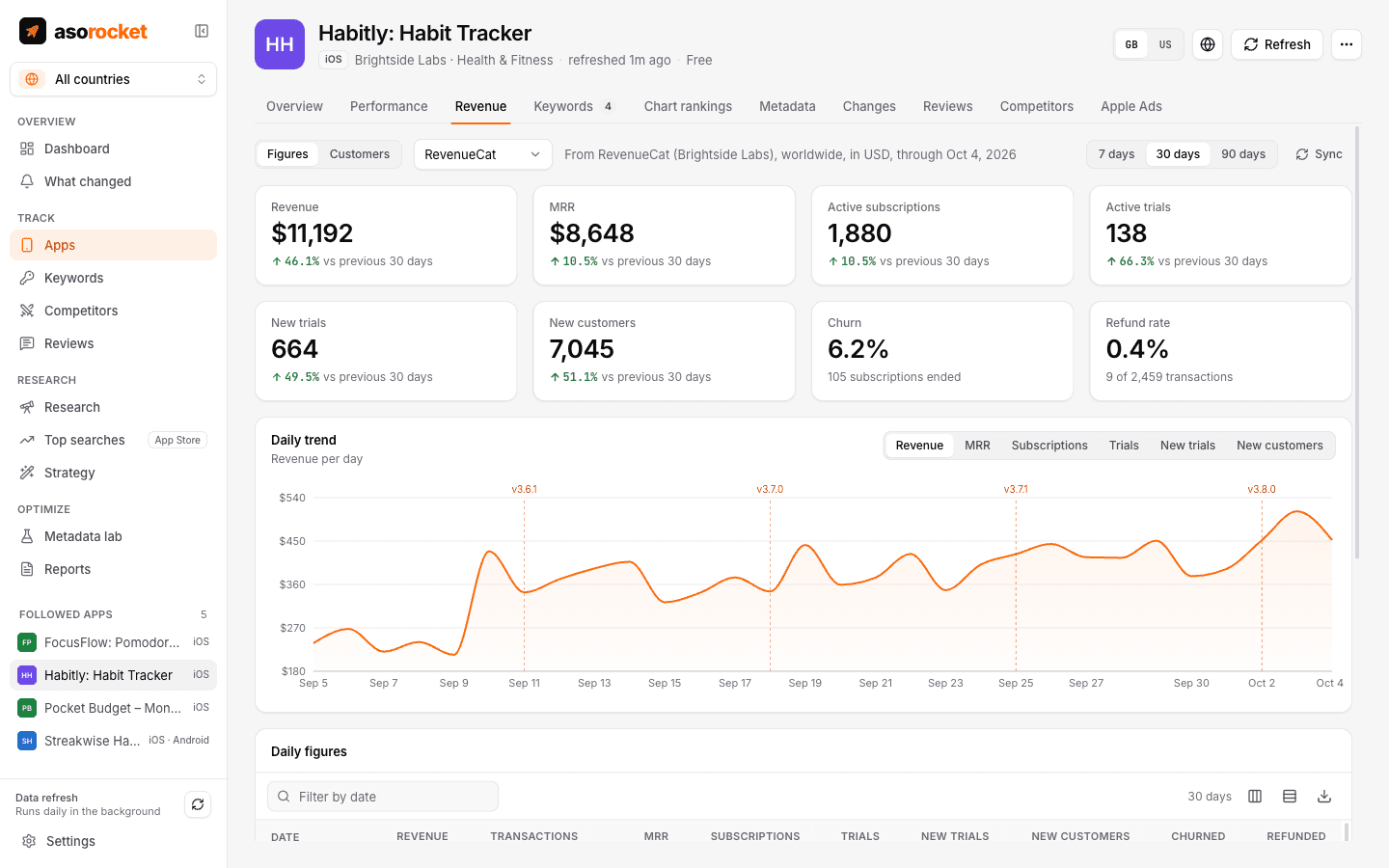
Connect your RevenueCat projects with a read-only key and each of your apps, on the App Store or Google Play, gets a Revenue tab: revenue, MRR, subscriptions, trials, churn and refunds by day, with your releases and listing changes marked on the chart.
What you get
Eight figures, against the period before
Revenue, MRR, active subscriptions, active trials, new trials, new customers, churn and refund rate over 7, 30 or 90 days.
Releases on the chart
The daily chart marks your versions and listing changes, and Impact compares revenue and new trials per day before and after each one.
Per app, on either store
A project’s apps are matched to the apps you follow by bundle id or package, or by hand. A linked app shows revenue, MRR and subscriptions per store.
On the dashboard
Revenue, MRR, subscriptions and new trials for whole projects, or for the apps the dashboard is focused on.
Customers, looked up live
Browse a project’s latest customers or search by app user id, email or transaction id. Filter by subscription status, country and platform, and open one to see entitlements, subscriptions and purchases.
Several projects
Each project has its own key and its own currency. Money in different currencies is shown side by side, never added together.
What you need: A RevenueCat project and a secret API key (v2) with read permissions for project configuration, charts and metrics, and customer information.
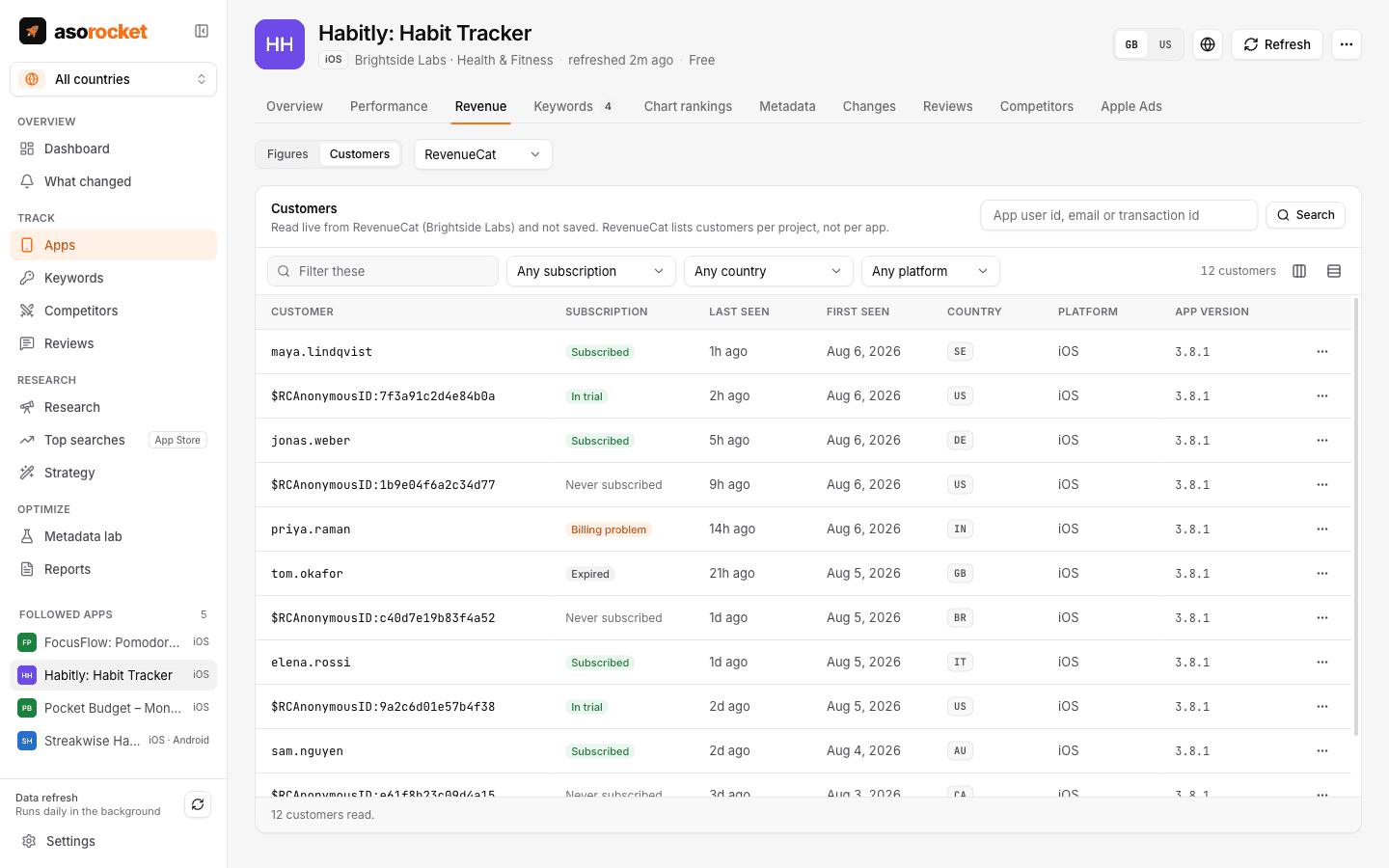
Customers are read live from RevenueCat and never saved.
Good to know
Read-only
asorocket only ever reads from RevenueCat, with a secret key you create with read permissions. It never changes a customer, a subscription or your project.
Customers are never stored
Customer records are personal data. They are read when you look, kept nowhere on disk, not exported and not sent to an AI provider. The daily figures are saved, like the rest of your data, on your computer.
How the figures are worked out
Revenue is what customers paid less refunds, before taxes and the stores’ commission. MRR, subscriptions and trials are levels on the period’s last day. Churn is the subscriptions that ended in the period, of those active on its first day, so it can differ from RevenueCat’s own chart. Trial conversion is shown for the whole project: RevenueCat does not split it by app.
Limits worth knowing
Figures are read once a day, 90 days back on the first sync. Filters on customers apply to the customers loaded so far, since RevenueCat’s list can only be searched. Revenue is worldwide, not per country. Not on RevenueCat? Connect Adapty, Superwall or Stripe instead.
Related guides
Measurement · 2 min read
App Store conversion rate: what it is and how to improve it
How conversion rate is measured in App Store Connect, what moves it, and how to tell if a change helped.
Metadata · 2 min read
ASO checklist: what to check before you submit an App Store update
Twenty quick checks for your name, subtitle, keyword field and screenshots before you press Submit.
More features
All featuresKeyword rank tracking
Daily positions for every keyword in the App Store’s top 200 and Google Play’s top 30, with changes and history.
Learn moreKeyword research
Score a term, see who ranks, and check up to 1,000 keywords in one background run.
Learn moreMetadata lab
A live ASO score as you type, an automatic keyword field, and a pressure test before you ship.
Learn morePublish to App Store Connect
Push a checked draft into the version you’re preparing, after a careful review screen.
Learn moreStart with your own app, today
Download asorocket, pick your markets and find your app. You will be tracking your first keywords in about two minutes.
macOS · Windows · Linux