Retention
Judge a ranking gain by the users it brought
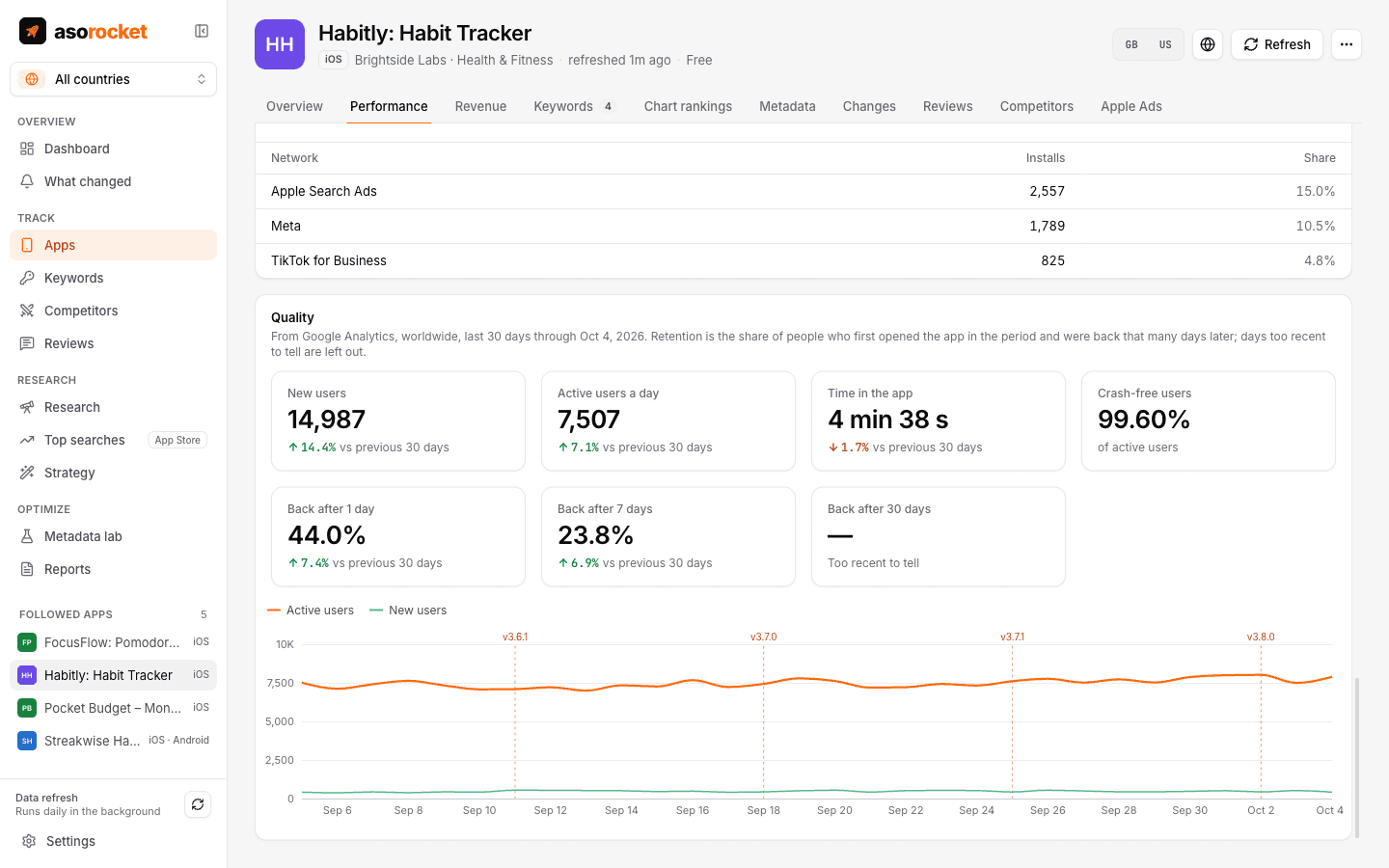
More installs from a new keyword only help if those people stay. Connect Firebase or Google Analytics 4 and asorocket shows retention after 1, 7 and 30 days, active users, time in the app and crash-free users next to your rankings and releases.
What you get
Retention by cohort
How many new users are back 1, 7 and 30 days after they first opened the app. Days too recent to tell are left out, not counted as lost.
Next to releases
Impact compares the share of people back after 7 days among those who arrived before a change and after it.
More than retention
New users, active users a day, time in the app per user and, with Crashlytics, crash-free users, for App Store and Google Play apps alike.
Read-only
asorocket reads reports through Google’s Analytics Data API and changes nothing in your property.
What you need: asorocket Pro or Studio (or the trial), and a Google service account with Viewer access to the app’s Google Analytics 4 property.
Good to know
Firebase is GA4
Firebase apps report their analytics to a Google Analytics 4 property, so one connection covers both. The service account Google Play Console uses can be reused.
Totals only
Daily totals per app are saved on your computer. No user is ever read or stored.
Related guides
Measurement · 2 min read
App Store conversion rate: what it is and how to improve it
How conversion rate is measured in App Store Connect, what moves it, and how to tell if a change helped.
Metadata · 2 min read
ASO checklist: what to check before you submit an App Store update
Twenty quick checks for your name, subtitle, keyword field and screenshots before you press Submit.
More features
All featuresKeyword rank tracking
Daily positions for every keyword in the App Store’s top 200 and Google Play’s top 30, with changes and history.
Learn moreKeyword research
Score a term, see who ranks, and check up to 1,000 keywords in one background run.
Learn moreMetadata lab
A live ASO score as you type, an automatic keyword field, and a pressure test before you ship.
Learn morePublish to App Store Connect
Push a checked draft into the version you’re preparing, after a careful review screen.
Learn moreStart with your own app, today
Download asorocket, pick your markets and find your app. You will be tracking your first keywords in about two minutes.
macOS · Windows · Linux