Attribution
Tell organic installs from paid ones
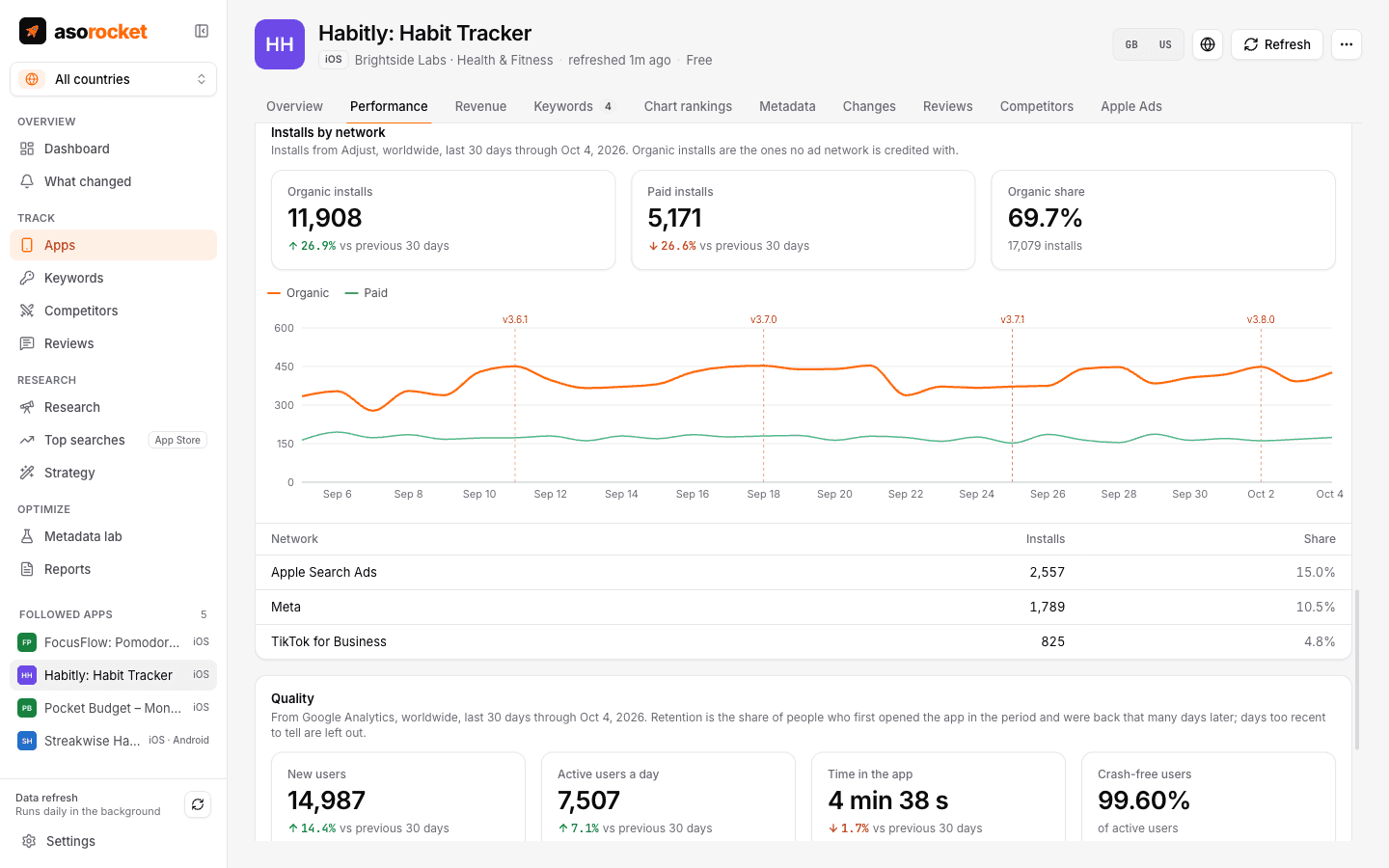
Connect AppsFlyer or Adjust and asorocket reads your installs by source: organic, and each paid network, by day. A ranking gain can then be checked against the organic installs it should bring, without ad spend blurring the picture.
What you get
Organic and paid, apart
Installs split into organic and paid by day, with the networks that brought the most, in an Installs by network section of the Performance tab.
In Impact
The before and after of a release or listing change shows organic installs, the figure ASO actually moves.
Both stores
App Store and Google Play apps, matched by App Store id or package.
Read-only
asorocket reads your reports with an API token and changes nothing in your account.
What you need: asorocket Pro or Studio (or the trial), and an AppsFlyer or Adjust API token with read access to your app’s reports.
Good to know
Their attribution, as reported
Which install counts as organic is decided by your attribution provider. asorocket shows its figures as they come and doesn’t re-attribute them.
Worldwide, once a day
Installs are read worldwide, once a day through yesterday. AppsFlyer allows few report requests a day, so each app you add is read once a day.
New connections
These two connections are new. Compare the first figures with your provider’s own dashboard, and tell us if they differ.
Related guides
Measurement · 2 min read
App Store conversion rate: what it is and how to improve it
How conversion rate is measured in App Store Connect, what moves it, and how to tell if a change helped.
Measurement · 2 min read
How to track App Store keyword rankings
Why searching on your own iPhone misleads you, and how to track ranks daily, per country, against competitors.
More features
All featuresKeyword rank tracking
Daily positions for every keyword in the App Store’s top 200 and Google Play’s top 30, with changes and history.
Learn moreKeyword research
Score a term, see who ranks, and check up to 1,000 keywords in one background run.
Learn moreMetadata lab
A live ASO score as you type, an automatic keyword field, and a pressure test before you ship.
Learn morePublish to App Store Connect
Push a checked draft into the version you’re preparing, after a careful review screen.
Learn moreStart with your own app, today
Download asorocket, pick your markets and find your app. You will be tracking your first keywords in about two minutes.
macOS · Windows · Linux