Sync
Three computers, one setup, none of it on our servers
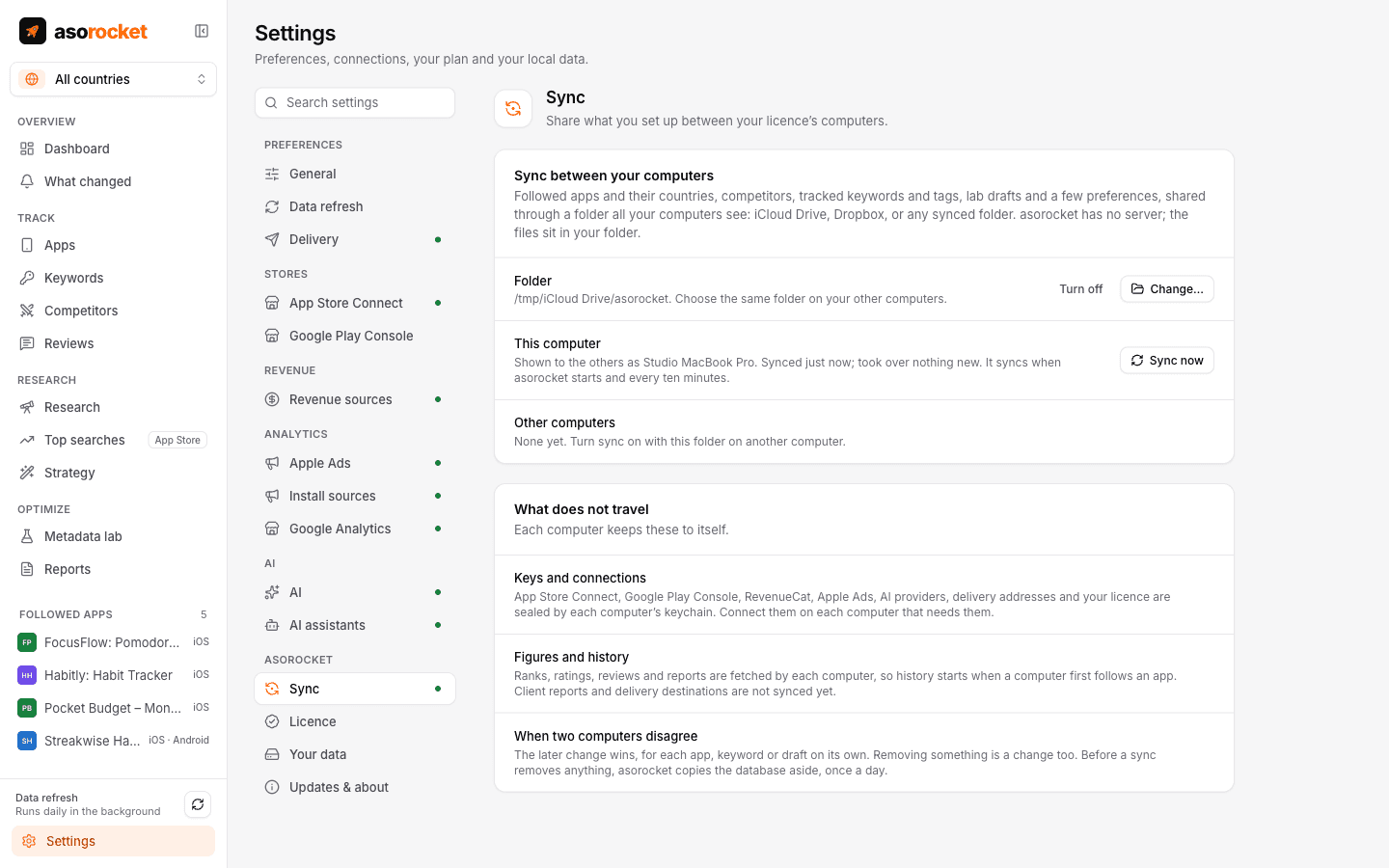
A Studio licence works on three computers. Turn on sync and what you set up on one appears on the others, through a folder you already own in iCloud Drive, Dropbox or any other synced folder: the apps you follow, their countries and competitors, keywords and tags, and your Metadata lab drafts.
What you get
Your storage, not ours
Choose a folder in iCloud Drive, Dropbox or any folder your computers share. Each computer writes one small file there and reads the others’, so two computers never write the same file.
Optional, and easy to leave
Off until you turn it on. Turning it off on a computer removes nothing you set up: that computer takes its own file out of the folder and the others keep what they took over from it. Turned on again later, it joins like a new computer.
Still local first
Each computer keeps its own database and works offline, then catches up when the folder does.
Keys stay on each computer
API keys and webhook addresses are encrypted by each computer’s operating system, so they don’t travel: connect a service once on each computer.
What you need: asorocket Studio, and a folder in iCloud Drive, Dropbox or another synced folder that each computer can reach.
Good to know
Your setup travels, the figures don’t
Sync carries what you set up: followed apps, countries, competitors, the link between an app’s two store versions, keywords, tags, drafts and a few preferences. Each computer collects its own ranks, reviews and figures, so history starts on a computer when it first fetches.
The later change wins
When two computers change the same keyword or draft, the later change is kept, and removing something counts as a change. What counts is when a change was made, not when it was synced: an edit made on Monday on a laptop that syncs again on Friday does not beat one made on Wednesday elsewhere.
Safeguards
Before a sync removes or overwrites anything, the database is copied aside, and the last five days’ copies are kept. A file that is missing or still downloading never removes anything, a change from a clock that runs ahead waits until its time has come, and a computer set up from a copy of another gets a file of its own.
What leaves your computer
That setup goes only to the folder you choose, under your own account with that service. Nothing is uploaded to asorocket.
More features
All featuresKeyword rank tracking
Daily positions for every keyword in the App Store’s top 200 and Google Play’s top 30, with changes and history.
Learn moreKeyword research
Score a term, see who ranks, and check up to 1,000 keywords in one background run.
Learn moreMetadata lab
A live ASO score as you type, an automatic keyword field, and a pressure test before you ship.
Learn morePublish to App Store Connect
Push a checked draft into the version you’re preparing, after a careful review screen.
Learn moreStart with your own app, today
Download asorocket, pick your markets and find your app. You will be tracking your first keywords in about two minutes.
macOS · Windows · Linux